
Copy-paste manually?
Works for one page. For a space with 50 pages, that's an hour of mindless work.
We do it in 2 minutes
Pages, folders, entire spaces — converted to clean Markdown your AI assistant can actually read. Tables, headings, code blocks, all intact.
1,000+ users on Chrome Web Store No account needed. Works instantly.
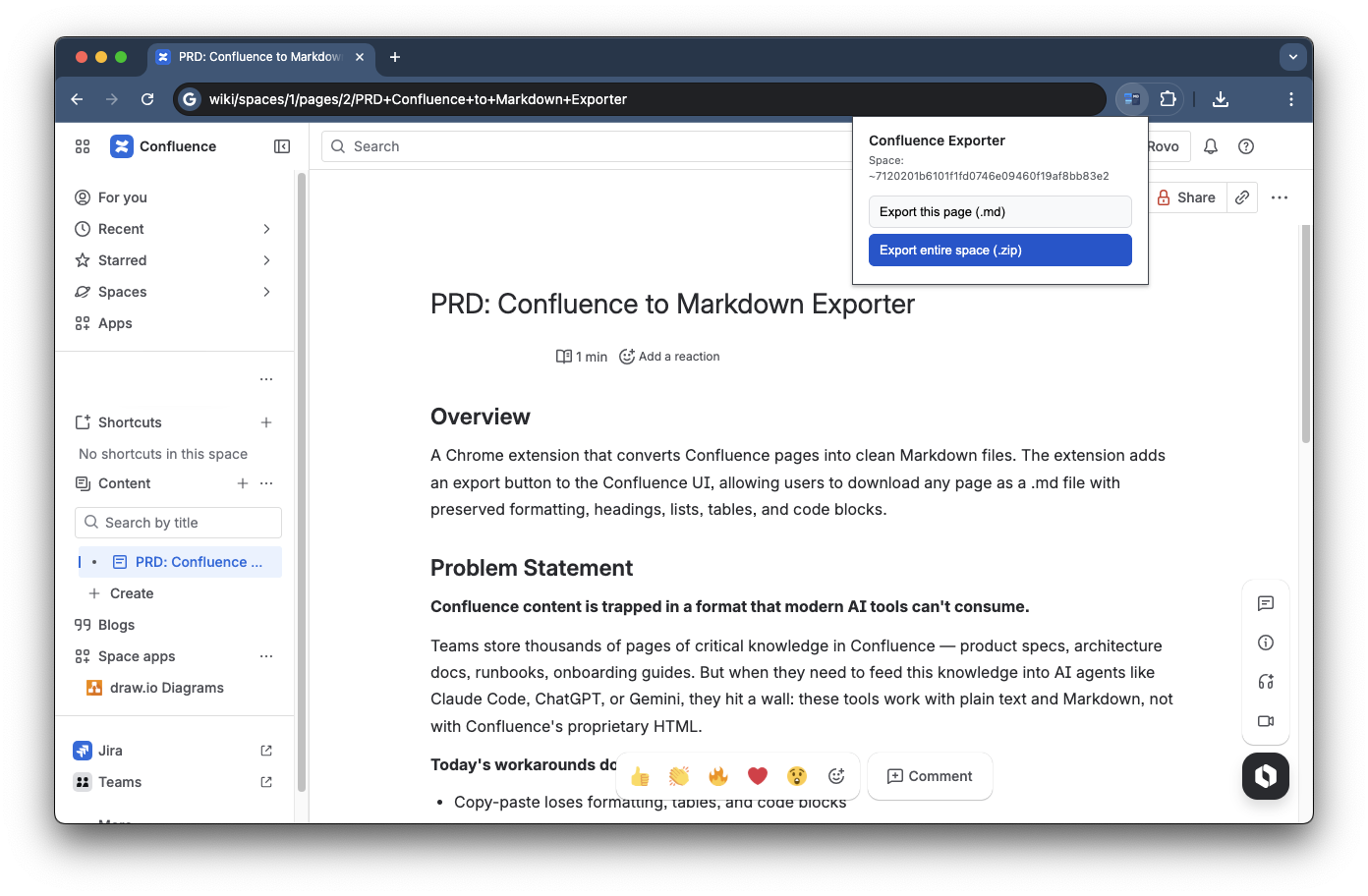
Navigate to any page, folder, or space in your Confluence instance.
Choose what to export: a single page, a folder with child pages, or an entire space.
Clean .md files download to your machine. Drop them into ChatGPT, Claude, or Cursor.
Pick the scope that fits your task. From a quick single-page grab to a full space dump.
Export the page you're looking at. One click, one .md file. Done in seconds.
Select a folder — all child pages export as separate Markdown files, hierarchy preserved.
Biggest time saver. Export 50, 200, 100+ pages at once. What would take hours of copy-paste — done in under 2 minutes. Your AI gets the complete project context in one shot.
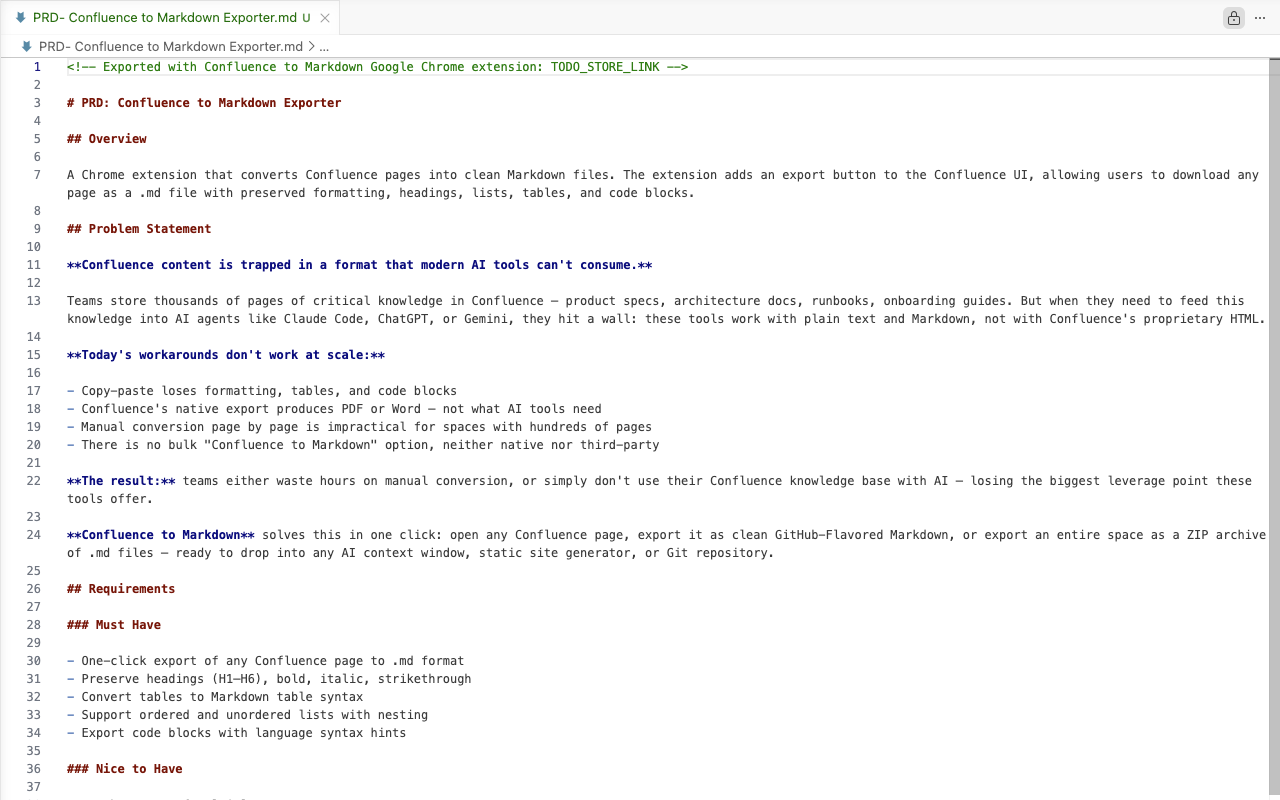
A real Confluence PRD exported with the extension. Clean Markdown, ready for AI.
| a | b |Tables# ##Headings```Code blocks - -Nested listsImages & links**_`Bold, italic, inlineSound familiar?
Still on the fence? The questions people ask before they install.
Add to Chrome — It's FreeInstall the free Chrome extension, open any Confluence page, and click the extension icon. Choose to export a single page, a folder with child pages, or an entire space. Clean .md files download to your machine in seconds — no API tokens, no setup, no account.
The extension converts headings, tables, ordered and unordered lists, nested lists, code blocks, bold/italic/strikethrough formatting, images, file attachments, links, status macros, and roadmap macros. The output is GitHub-flavored Markdown (GFM) that preserves document structure and hierarchy.
Yes. The "Export entire space" feature processes pages sequentially and handles spaces with 100+ pages. All pages export as a ZIP archive of .md files with folder structure preserved. What would take hours of manual copy-paste is done in under 2 minutes.
The extension runs 100% locally in your browser. Your Confluence documents are never sent to any external server — no analytics, no tracking, no data transmission. Files download straight to your computer. You control where they go from there.
After exporting, upload .md files to ChatGPT or Claude, drag them into Cursor or Windsurf, drop into Claude Code or Codex CLI as project context, or attach to GitHub Copilot and Gemini. Markdown is the native format all AI assistants understand best — no conversion or cleanup needed. For large projects, export the entire Confluence space and give your AI the complete project context in one shot.
Confluence PDF export frequently breaks table formatting, cuts off wide tables, loses code block syntax, and mangles nested lists. AI assistants struggle to parse PDFs accurately. Markdown preserves all structure intact — tables, headings, code blocks, lists — in a format both humans and AI read without issues.
The Atlassian MCP server connects AI tools to Confluence for live queries, but every lookup re-fetches the page and consumes tokens from your AI's context window. It also requires server setup, authentication tokens, and a client that supports MCP. This extension exports Confluence pages to Markdown files once — you then feed those files to any AI (ChatGPT, Claude, Cursor, GitHub Copilot) with zero per-query token cost and no server to maintain. MCP is useful for small live lookups; Markdown export is better for feeding full project context in one shot.
No. If you can view a Confluence page in your browser, you can export it. The extension reads page content directly from the browser tab — no admin privileges, no API tokens, no command-line setup. Install the extension and start exporting immediately.
The extension works with Confluence Cloud (*.atlassian.net). Confluence Data Center and Server support depends on the DOM structure and may require adjustments — the extension is optimized for Cloud instances.
Why not just copy-paste, export a PDF or write a script? Here is what each costs you.
Works for one page. For a space with 50 pages, that's an hour of mindless work.
We do it in 2 minutes
PDF destroys structure for AI: tables turn to mush, lists lose nesting, code blocks become unreadable.
Markdown keeps everything intact
Great if you're a developer. For a PM, that's hours of setup — tokens, command line, debugging.
3 clicks, no code, no config
| Method | Speed | Markdown Quality | Bulk Export | Setup Required | Cost |
|---|---|---|---|---|---|
| This extension | Seconds | Clean GFM | 100+ pages | Install extension | Free |
| Manual copy-paste | Minutes/page | Inconsistent | No | None | Free |
| Confluence PDF export | Seconds | Poor (tables break) | Yes | None | Free |
| Atlassian MCP server | Per-query lookup | Clean, but re-fetched every time | No (context-window bound) | Server + auth + client config | Tokens per query |
Free Chrome extension. No account. Works in seconds.
Add to Chrome — It's Free